Wooden Topographical Map
Instructions on how to generate the files required to laser cut a wooden topographical map, complete with streets, train lines, water features, and whatever else may be of interest.
Project maintained by ARamsey118 Hosted on GitHub Pages — Theme by mattgraham
Installs
Disclaimer, all of these instructions are aimed at Linux users.
There are two main pieces of software that are needed and a couple of plugins to help make life easier:
- QGIS: An open source Geographic Information System (GIS). Available on most Linux distributions directly from the package manager
- I had to install
gdal,python-gdal, andpython-psycopg2(possiblypython3instead ofpython, depending on distro). It still throwsModuleNotFoundError: No module named 'owslib', but hasn’t negatively impacted the tool, so that error persists. - The GRASS program, which can be called from QGIS, will also come in handy later
- I had to install
- Inkscape: An open source vector drawing program. Also available on most distros from the package manager.
File Downloads
Topographical Data
If the desired map location is in the United States, the US Geological Survey (USGS) provides a nice website for downloading topographical data.
- Navigate to the aforementioned website
- Zoom the map into the desired region
- (Optional) Select “Extent” and draw a rectangle on the map to narrow down the search. Otherwise the whole visible area will be the search region.
- Under “Data” Select “Elevation Products (3DEP)”. This will ensure that the result is a digital elevation map that QGIS can interpret.
- Feel free to play around with the defaults for “Subcategories”, “Extent”, etc, but the defaults seem to work well enough.
- Scroll back up and hit the “Search Products” button. If all goes well, something similar will appear
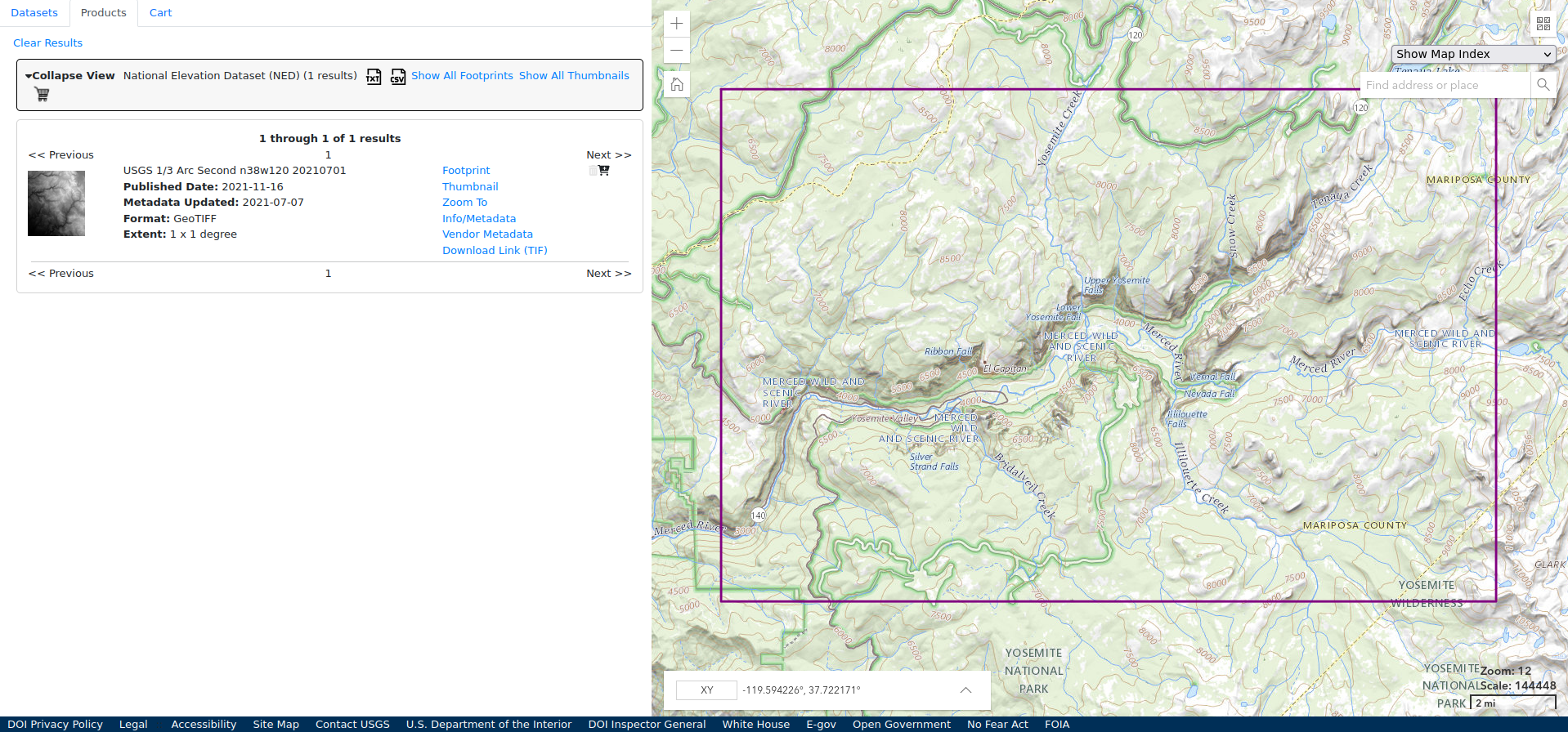
- Click “Downlink Link (TIF)”. This may take a moment as the files can be pretty large, this one is 424 MB.
- Repeat as many times as necessary to cover the desired region. It’s possible to stitch the files together later on, so don’t worry if the region spans two files. When available, it’s best to have data for a region that’s a bit larger than the final product. More on that later.
If the map location is outside of the US, searching for “digital elevation map <country>” or looking through OpenDEM will probably turn up the necessary files.
Human Made Features
Where to find these datasets will vary a little more. Similarly searching for “shapefile <region>” or “GIS <region>” is likely to provide something useful, such as this Yosemite website listing out all of their GIS related resources.
OpenStreetMap data is a good place to start, and in the US, the Census Bureau provides everything from school district boundaries to roads, updated on a yearly cadence.
Download the desired files and put them in a folder with the DEM data.
Next Steps
Onto Making A Map or back to the index.